Recycled Keys to Old Locks: How Breached Passwords Continue to Fuel Account Takeovers Years Later
In 2012, LinkedIn suffered a data breach that exposed the hashed passwords of approximately 6.5 million user accounts. That figure, already alarming at the time, was later revised dramatically upward — the actual number exceeded 117 million. The breach was not publicly confirmed at its true scale until 2016, four years later, when the full dataset appeared for sale on a dark-web marketplace. And today, more than a decade after the original incident, security researchers still observe those credentials being tested against live login forms across the internet.
This is the defining characteristic of credential stuffing: the attacks do not expire. Breached data accumulates, consolidates, and circulates indefinitely through underground markets and private channels, feeding automated attack tools that can test millions of username-and-password combinations per hour against virtually any platform with a login page.
What Credential Stuffing Actually Is
Credential stuffing is distinct from brute-force password guessing, though the two are frequently conflated. A brute-force attack generates random or sequential password combinations until one succeeds. Credential stuffing, by contrast, uses real username-and-password pairs harvested from previous breaches — credentials that are, by definition, already valid somewhere.
The attack exploits a single, persistent human behavior: password reuse. When a person uses the same password — or minor variations of it — across multiple services, a breach at any one of those services effectively compromises all of them. Studies by Google and the security firm SpyCloud have consistently found that between 60 and 65 percent of users reuse passwords across multiple accounts. For attackers, that statistic transforms every historical breach into an ongoing source of leverage.
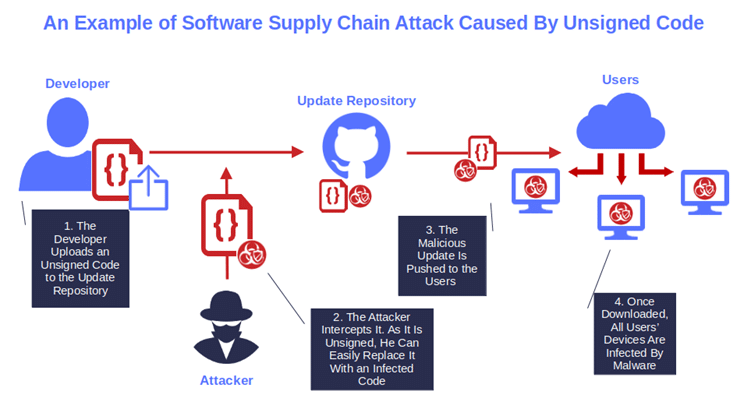
The mechanics are straightforward. Attackers acquire breach databases — sometimes purchasing them, sometimes obtaining them through their own intrusion activity, sometimes downloading them from public paste sites where other threat actors have dumped them. They load these credentials into automated tools such as Sentry MBA, SNIPR, or OpenBullet, configure the tool to target a specific platform, and run the attack at scale. Successful logins — accounts where the breached credentials still work — are flagged for manual exploitation or sold as "combo lists" to other criminal actors.
The Industrial Scale of the Problem
The volume of credential data in circulation is almost impossible to comprehend in human terms. Have I Been Pwned, the breach-notification service maintained by security researcher Troy Hunt, currently indexes more than thirteen billion compromised accounts across hundreds of documented incidents. That number understates the actual figure, because many breaches are never publicly disclosed and their data circulates only in closed criminal communities.
The 2019 Collection #1 data dump — a single file posted to a hacking forum — contained over 770 million unique email addresses and 21 million unique passwords, aggregated from thousands of smaller breaches. It was not even the largest compilation discovered that year. Researchers subsequently identified Collections #2 through #5, which together contained several times that volume.
For organizations, the consequences are severe. Akamai's annual State of the Internet security report has documented hundreds of billions of credential stuffing attempts against its customers in single calendar years, with the financial-services, media, and gaming sectors absorbing the heaviest traffic. For individual users, a successful stuffing attack can mean an emptied bank account, a hijacked email inbox used to reset passwords across every linked service, or a compromised social media account weaponized for fraud.
How to Determine Whether Your Credentials Are Circulating
The first step in any recovery strategy is establishing the scope of your exposure. Several legitimate, free tools can help.
Have I Been Pwned (haveibeenpwned.com) allows you to enter an email address and receive a report of every documented breach in which that address appears, along with the categories of data exposed. The service also offers a Pwned Passwords feature that lets you check whether a specific password appears in any known breach database — without transmitting the password itself to the server, thanks to a k-anonymity implementation.
Google Password Checkup, integrated into Chrome and the Google account dashboard, cross-references your saved passwords against a database of known compromised credentials and flags any matches.
SpyCloud's free consumer portal provides a more detailed view of what personal data associated with your email address is circulating in criminal markets, drawing on a dataset that SpyCloud describes as sourced from the same underground forums used by threat actors.
If any of these tools return results, treat every account that shares the exposed password as compromised, regardless of whether you have seen direct evidence of unauthorized access.
Why Changing Your Password Once Isn't Enough
A common misconception is that resetting a password following a breach notification resolves the exposure. It does not, for two reasons.
First, if you reset your password on the breached service but continue to use the same password — or a recognizable variation, such as appending a number or symbol to the original — on other platforms, those accounts remain vulnerable. Attackers running credential stuffing campaigns routinely apply rule-based transformations to known passwords, testing variants like "Password1," "Password!," and "P@ssword" automatically.
Second, breached data frequently changes hands multiple times before it is ever used in an active campaign. A password you changed in 2021 after a 2019 breach may have been tested against your accounts in 2023 by an actor who purchased the dataset years after the original incident.
The only durable solution is ensuring that every account uses a unique, randomly generated password — one that cannot be derived from any other credential you use and that provides no value to an attacker even if it is eventually exposed.
Building a Recovery Strategy That Lasts
Adopt a password manager. Tools such as Bitwarden, 1Password, and Dashlane generate and store unique, high-entropy passwords for every account, eliminating the practical barrier that drives password reuse. Bitwarden is open-source and offers a fully functional free tier. The master password protecting the vault should be a long passphrase — five or more unrelated words — that you have never used anywhere else.
Enable multi-factor authentication everywhere it is offered. Even if a credential stuffing attack successfully authenticates your username and password, a second factor — a time-based one-time code, a hardware security key, or a push notification to a trusted device — prevents the attacker from completing the login. Prioritize MFA on email accounts, financial institutions, and any platform linked to payment methods, as these are the highest-value targets.
Monitor for new exposures proactively. Have I Been Pwned offers free email notifications that alert you when your address appears in a newly indexed breach. Several password managers, including 1Password and Dashlane, provide continuous breach monitoring as part of their paid tiers.
Conduct a periodic credential audit. Every six months, review your password manager's security report — most generate one automatically — and update any passwords flagged as reused, weak, or exposed. Treat this as routine maintenance, equivalent to changing the batteries in a smoke detector.
The databases fueling today's credential stuffing campaigns were assembled from breaches that occurred years or decades ago. The passwords within them are not going away. But an attacker armed with your 2013 LinkedIn password and a sophisticated automated tool is only a threat if that password still works — and with a password manager, unique credentials, and active multi-factor authentication, it never will.