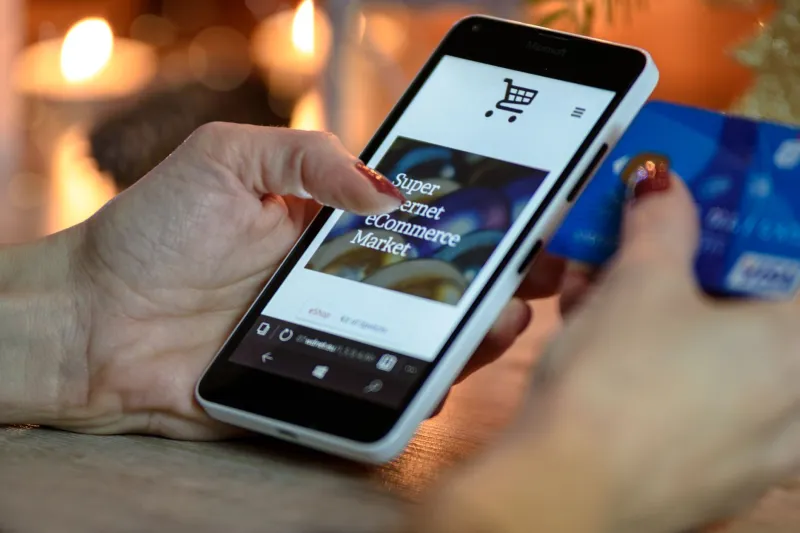
Locked Out of Your Own Life: The Recovery Gap Hiding Inside the Passkey Boom

Photo: Wil540 art, CC BY 4.0, via Wikimedia Commons
A Better Lock, a Thinner Safety Net
For twenty years, the standard security advice has been blunt: passwords are the weakest link, and the only good password is one you cannot remember. Passkeys are the industry's answer. Instead of a shared secret typed into a box, they rely on a cryptographic key pair — a private half that is meant to stay on your device, and a public half held by the service — unlocked by a fingerprint, a face scan, or a device PIN.
The cryptography is genuinely strong, and it closes the door on the credential-harvesting kits that have fueled account takeovers for a decade. What it does not close is a simpler and much older question: what happens on the day your phone is gone?
That question carries more weight in 2026 than it did when passkeys were a conference demo. Apple, Google, and Microsoft have folded them into consumer account flows. A meaningful share of US banks, retailers, and government-facing portals now offer them, and passkeys appear as the default recommendation in nearly every consumer security guide published this year, including several on this site.
The trouble is that enrollment is frictionless and recovery is not. That asymmetry is where ordinary users get hurt.
The Day the Device Goes Missing
Picture the ordinary version of the disaster. A phone is left in a rideshare, dropped in a lake, or replaced after a screen shatters. The owner is not a target of anything; they are simply unlucky. What happens next depends entirely on choices they made months earlier, usually without knowing they were making a choice at all.
If the passkey was synced through iCloud Keychain or Google Password Manager, the new device can often restore it after a sign-in to the same underlying account. If the passkey was device-bound — stored only on the lost handset, or held on a hardware security key that was also in the bag — that credential is gone. The service then falls back to whatever recovery path it offers: an emailed link, an SMS code, a set of printed backup codes, or a human support queue.
That last option deserves attention. Support desks exist to be helpful, and attackers know it. Account recovery has quietly become one of the most probed surfaces in consumer authentication, because breaking in through a sympathetic agent is often easier than breaking the cryptography itself.
Sync, Backup, and the Trade-Off Nobody Reads
Passkey sync is the convenience feature that makes the system usable, and it concentrates risk in a place most people never inspect.
When passkeys sync, your Apple or Google account effectively becomes the master key to everything else. That account deserves more protection than any other credential you hold: a long unique password stored in a password manager, a second factor that is not SMS, and — where the platform allows it — designated recovery contacts and a printed recovery key kept somewhere physical.
When passkeys do not sync, a lost device is a lost credential. Hardware security keys mitigate this well, but only if you register two and store the spare somewhere other than the same drawer as your laptop.
Backup codes remain the most underused safety net in consumer security. They are also the least glamorous. Print them, label them, and put them where you keep your passport.
Platform Lock-In by Another Name
The standards bodies behind passkeys have worked hard on portability, and credential exchange between ecosystems is better than it was two years ago. It is still uneven. Moving a passkey from one vendor's ecosystem to another can require re-enrollment, and some services still treat passkeys as a second factor rather than a primary credential. Users who consolidate their digital lives around one vendor and later switch should expect friction, and should plan for a transition window in which some accounts are temporarily harder to reach.
Six Settings Worth Reviewing This Week
- Take inventory. List the accounts that actually have a passkey registered, rather than assuming you know. Start with email, banking, and anything tied to tax filing.
- Register a second device. A tablet or a spare phone in a drawer is a far better backup than a support ticket.
- Check your recovery email and phone number. Confirm they are current and that you still control them.
- Download and print recovery codes for every account that offers them.
- Harden the master account — the Apple, Google, or Microsoft identity that holds your synced passkeys — with a unique password, a strong second factor, and recovery contacts.
- Review trusted devices and active sessions, and sign out of anything you no longer recognize, including old handsets you sold or recycled.
One additional step is worth the ten minutes: call your mobile carrier and ask what protections are on your account. SMS remains a fallback path at many services, and a hijacked phone number can undo a great deal of careful setup.
A Sensible Posture for 2026
Passkeys are a real improvement, and the case for adopting them is strong. The case for adopting them blindly, without a documented recovery plan, is not. Keep the password manager. Keep the printed codes. Know which accounts would strand you if your primary device vanished tomorrow, and make sure at least one of them would not.
Security has always been a trade between convenience and control. Passkeys simply move the trade somewhere new — from the login box to the recovery queue — and the users who fare best will be the ones who looked at that queue before they needed it.